
Setting up your Brand Kit is the single most effective way to speed up your request turnaround. Think of this as your "digital style guide." Once you set this up, you won't need to attach the same logos or repeat your font preferences for every single task—our editors will already have everything they need.
Here is how to fill out each section of your Brand Kit to ensure every video looks 100% on-brand.
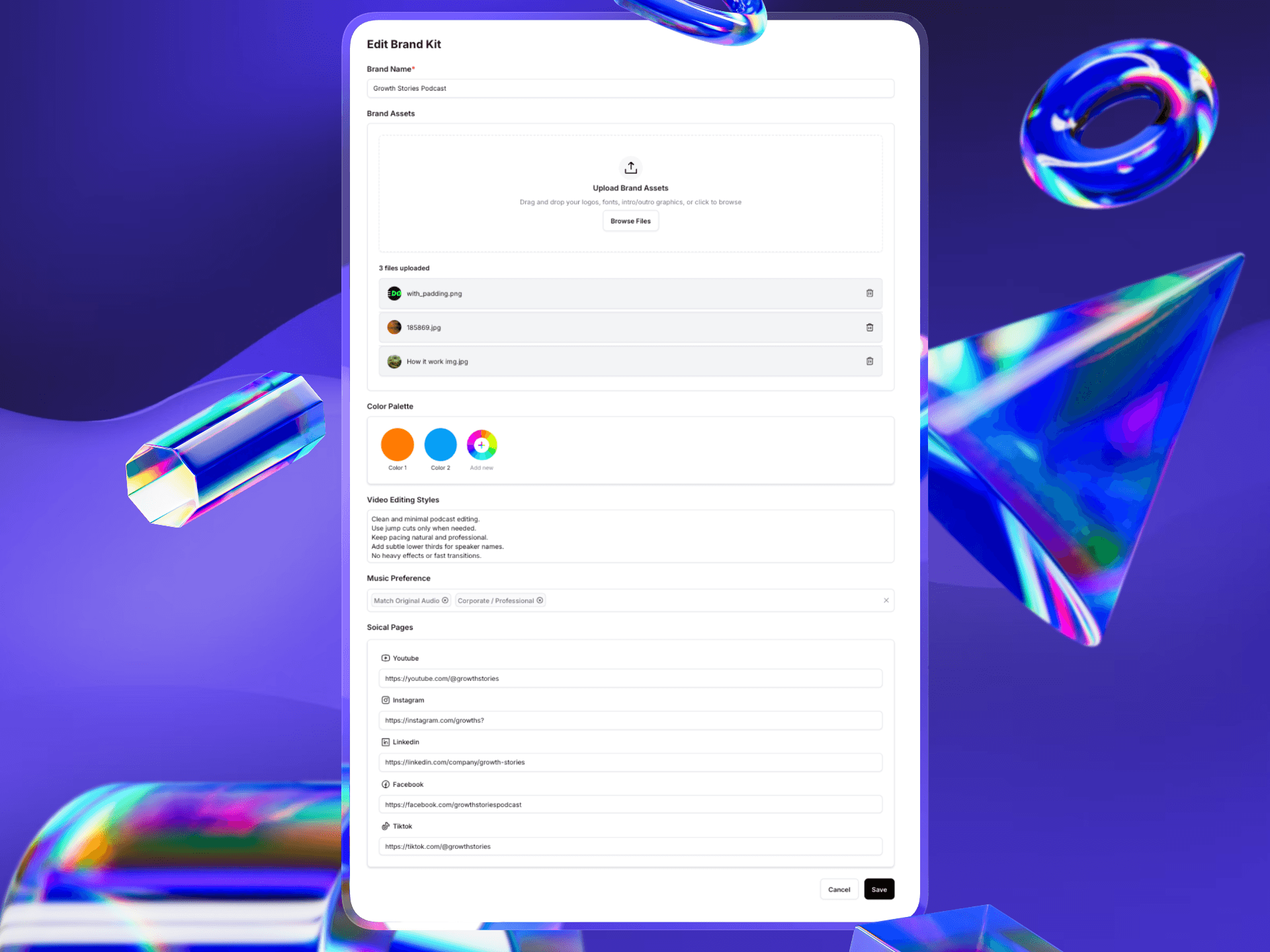
1. Brand Assets
This is the library your editor will pull from.
What to upload: Drag and drop your essential files here.
Logos: High-resolution PNGs (ideally with transparent backgrounds) are best.
Fonts: If you use a specific font family (e.g., "Lato" or "Montserrat"), upload the
.ttfor.otffiles here so we can install them.Graphics: Have a standard Intro or Outro video? A specific "Subscribe" animation? Upload them here.
Tip: Name your files clearly (e.g.,
Logo_White_Transparent.pngvsIMG_5502.png) so editors know exactly which one to use.
2. Color Palette
Your colors define your visual identity.
Click the + Add new button to input your brand colors.
Be specific: We recommend using exact Hex Codes (e.g.,
#FF5733) rather than just picking a color visually. This ensures the orange used in your subtitles matches the orange in your logo perfectly.
3. Video Editing Styles
This text box is your place to set the "vibe" and technical rules for your content.
Pacing: Do you like fast, high-energy cuts (TikTok style)? or slow, conversational pacing (Podcast style)?
Effects: Do you want zooms, pop-ups, and memes? Or do you prefer a "clean and minimal" look?
Transitions: Should we use simple jump cuts, or do you prefer wipes and slides?
Example of a good style instruction: "Clean and minimal podcast editing. Use jump cuts only when needed to remove dead air. Keep pacing natural. Add subtle lower thirds for speaker names. No heavy effects or fast transitions."
4. Music Preference
Music sets the emotional tone of the video.
Use the tags to select the genres that fit your brand (e.g., "Corporate," "Lo-Fi," "High Energy").
Original Audio: If you prefer no background music at all, select "Match Original Audio" or leave a note in the style section.
5. Social Pages
Paste the links to your active social media channels (YouTube, Instagram, LinkedIn, etc.).
Why is this important? This helps our editors research your existing content. If they can see what you’ve posted in the past, they can mimic your style much faster!
Frequently Asked Questions
Can I have multiple Brand Kits? If you are on an Agency or Pro plan, you may be able to create distinct Brand Kits for different clients or sub-brands. Check your plan details for limits.
What happens if I update my Brand Kit later? The changes will apply to future requests. If you have an active request currently in progress, please notify your editor in the chat so they know to check for the new assets.