
We have designed our request form to be as simple as possible while ensuring our editors have everything they need to nail your vision.
Follow these 4 steps to submit a perfect request.
Step 1: Basic Information
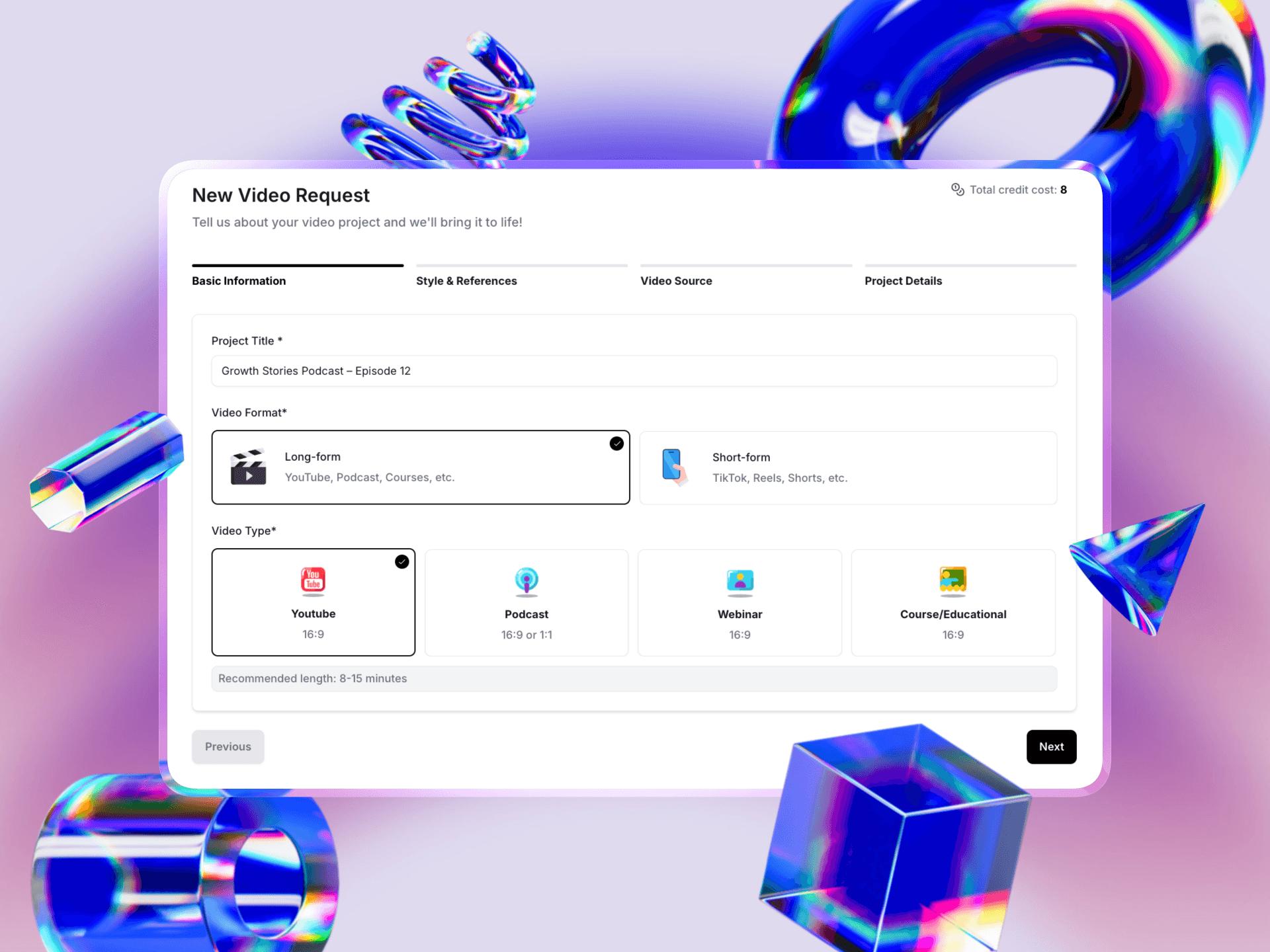
First, tell us what kind of video we are making.
Project Title: Give your request a clear name (e.g., "Growth Stories Podcast – Episode 12") so you can easily find it later.
Video Format: Choose between Long-form (horizontal 16:9 for YouTube/Courses) or Short-form (vertical 9:16 for TikTok/Reels).
Video Type: Select the specific category, such as YouTube, Podcast, Webinar, or Course. This helps assign the editor with the best skillset for your specific genre.
Step 2: Style & References
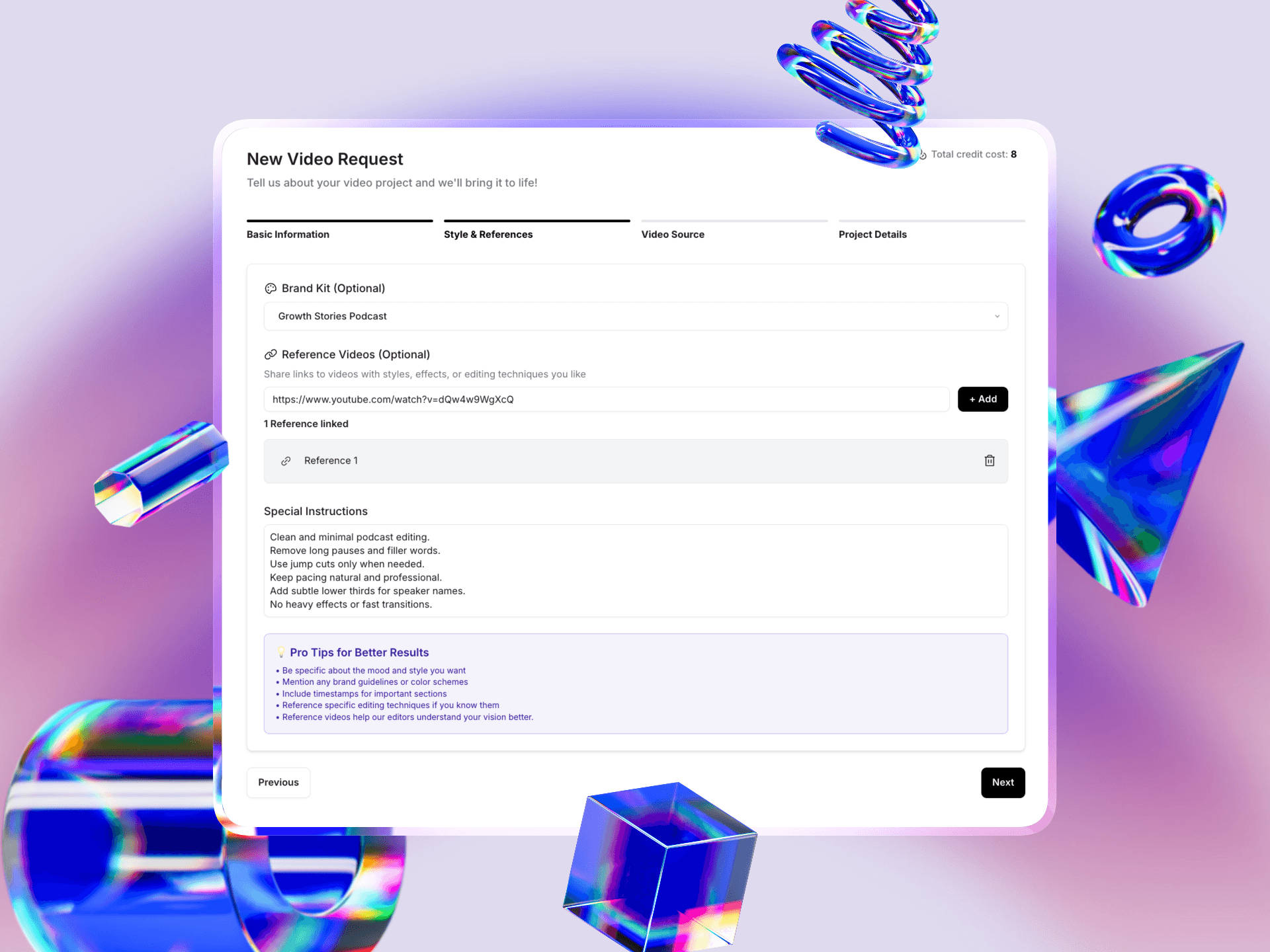
This is where you define the "look and feel" of the video.
Brand Kit: If you have already set up a Brand Kit, simply select it from the dropdown. This automatically loads your logos, fonts, and colors.
Reference Videos: Have a specific style in mind? Paste a link to a YouTube video that you want us to mimic.
Special Instructions: Use this box to list specific requirements. As noted in our "Pro Tips" on the screen: include timestamps for important sections and be specific about the mood (e.g., "fast-paced" vs. "professional").
Step 3: Video Source
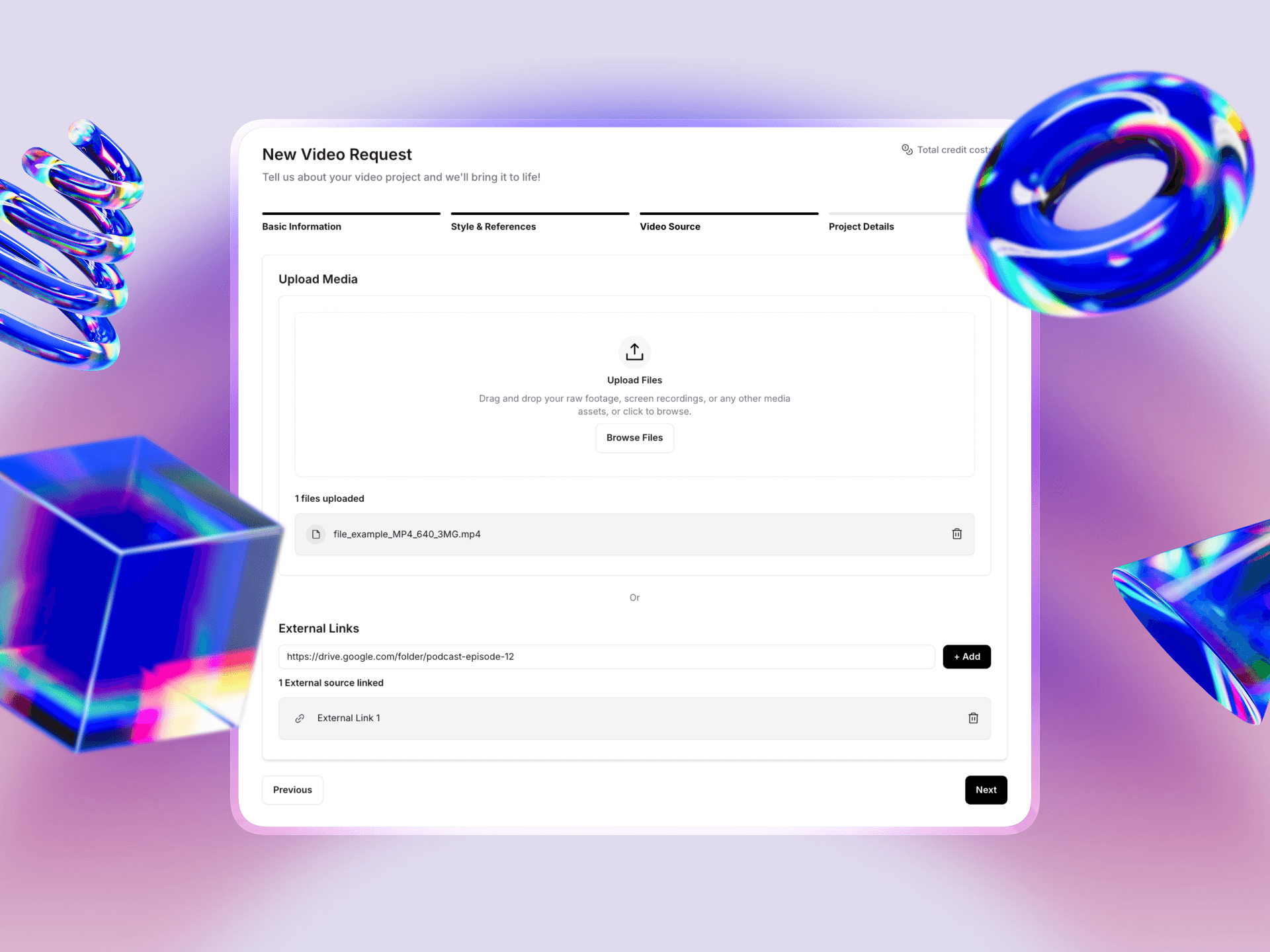
Now, provide the raw footage.
Upload Files: You can drag and drop raw footage directly into the browser if the files are manageable in size.
External Links: For large files (like 4K podcast recordings), we recommend uploading them to Google Drive, Dropbox, or Frame.io and pasting the shared link in the "External Links" field.
Step 4: Final Details & Add-ons
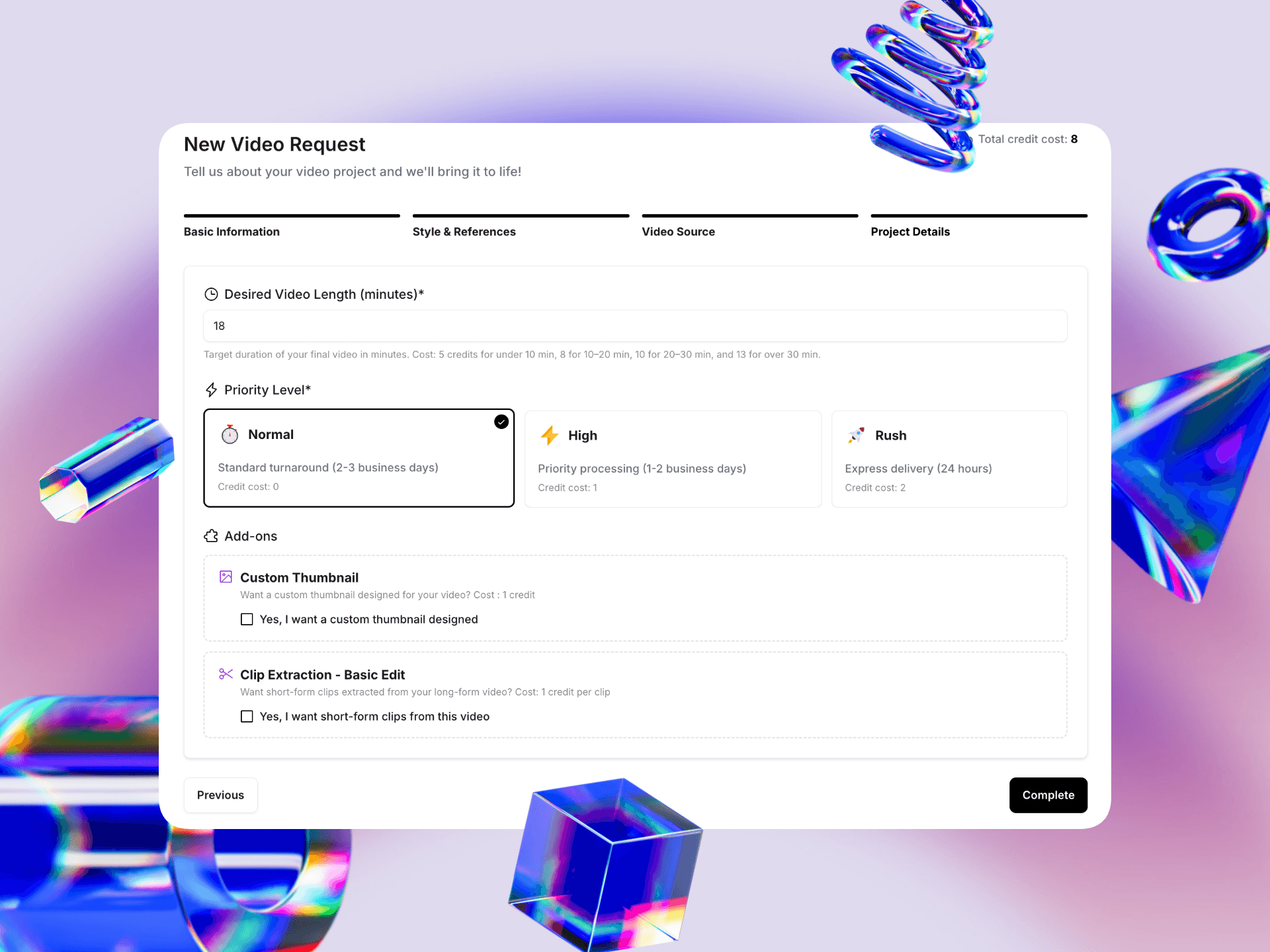
Finally, set your constraints and delivery speed.
Desired Length: How long should the final video be? Note that the credit cost changes based on the final duration (e.g., 5 credits for under 10 minutes, 8 credits for 10–20 minutes).
Priority Level:
Normal: Standard 2-3 business day turnaround (0 extra cost).
High: Priority processing in 1-2 business days (Cost: 1 extra credit).
Rush: Express 24-hour delivery (Cost: 2 extra credits).
Add-ons: Need a Custom Thumbnail or Short-form clips extracted from this video? Check the boxes here to add them to your order.
Once you hit Complete, your total credit cost (visible in the top right corner) will be deducted, and our editors will get to work immediately!