
From Raw Footage to Viral: Indiedoers Step-by-Step Collaborative Workflow
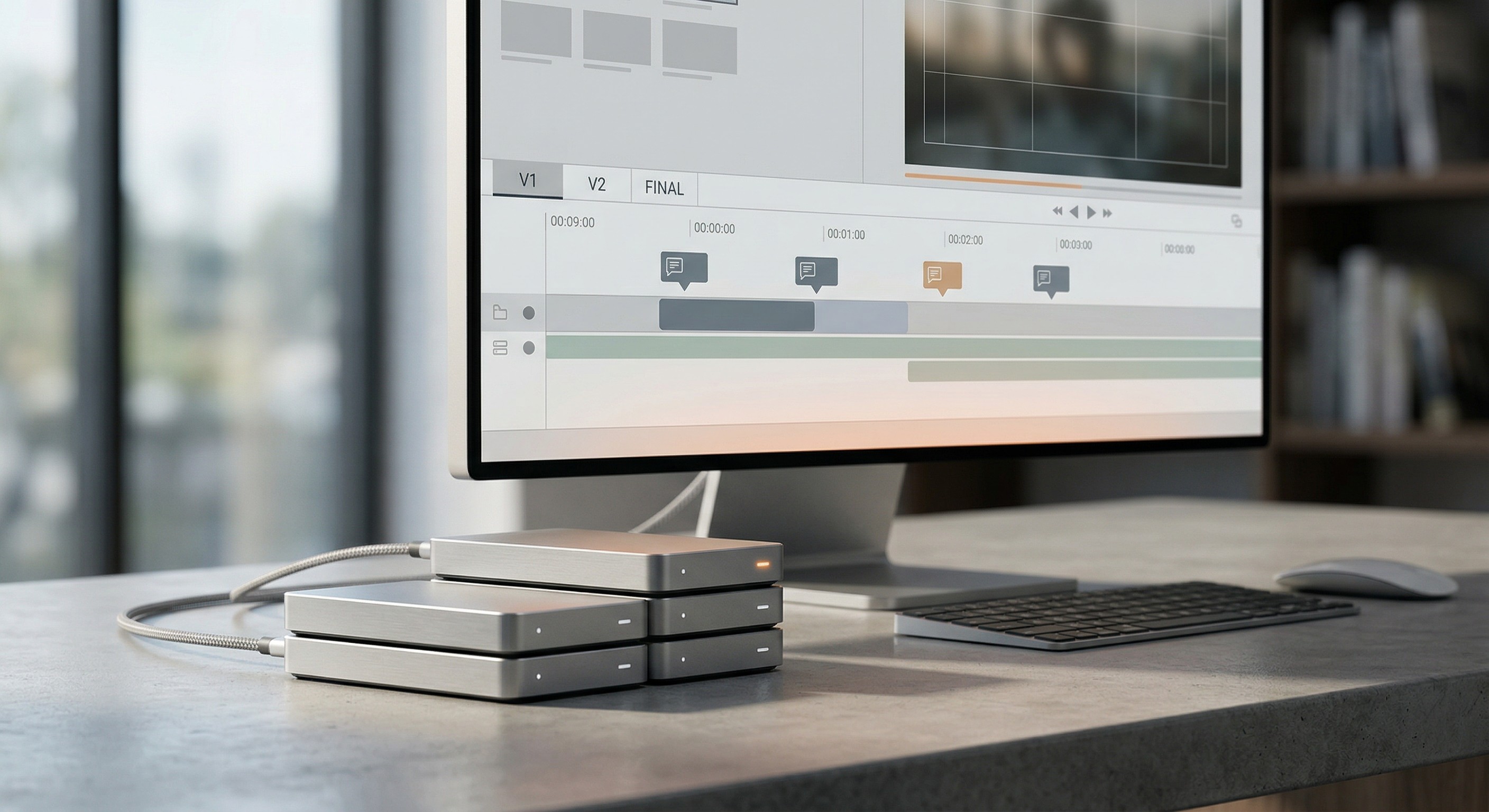
Most creators kill their growth by chasing files instead of making content. If you’ve ever dug through a 50-email thread for one video clip, you know the pain. You send a link. The editor can’t open it. You get back a blurry video. This is a mess.
A professional reel editing workflow stops this. It protects your time. Most teams learn this the hard way after a big mistake.
Making a video look pretty is easy. Doing it thirty times a month is where most people quit. This does not scale without a plan.
Good creative work needs a system. It sounds boring. But it keeps your work on track.
Source: Adobe (Workfront State of Work Report)
Year: 2020
Finding: Workers spend 60% of their time on "work about work" like searching for files and emails.
Context: This proves that a bad system steals your creative time.
If you only post once a month, this won't matter. But if you want to grow, you need a system. This process leads to more videos and less stress.
The Traditional "Feedback Loop" vs. Modern Collaboration
Email is where creative speed goes to die.
It creates a slow reel editing feedback loop. This loop is the time between a draft and a fix.
If you use text notes, you waste time. You might say, "change the part at five seconds."
But five seconds on your phone might be six seconds on the editor's screen. This confusion causes endless revisions.
We've all stared at a "Final_Version_3" file and realized it was still wrong. This happens when you do not have a clear map.
Bad workflow is like giving directions over the phone without a map. Modern collaboration is like using a shared GPS.
Time-stamped feedback lets you click the exact frame you want to change. It saves hours of typing and guessing.
Modern tools use cloud storage to keep every note in one spot. This clarity is the only way to avoid frustration.
If you only post once a month, slow loops might be okay. For anyone else, vague feedback kills projects.
It stops you from hitting your posting schedule.
Phase 1: Seamless File Sharing (How to Send Large Video Files)
Moving heavy 4K video files is the first wall most creators hit.
If you've ever watched a progress bar crawl for three hours only for it to fail, you know the frustration. Your phone or computer isn't built to email a 2GB raw clip. It just breaks.
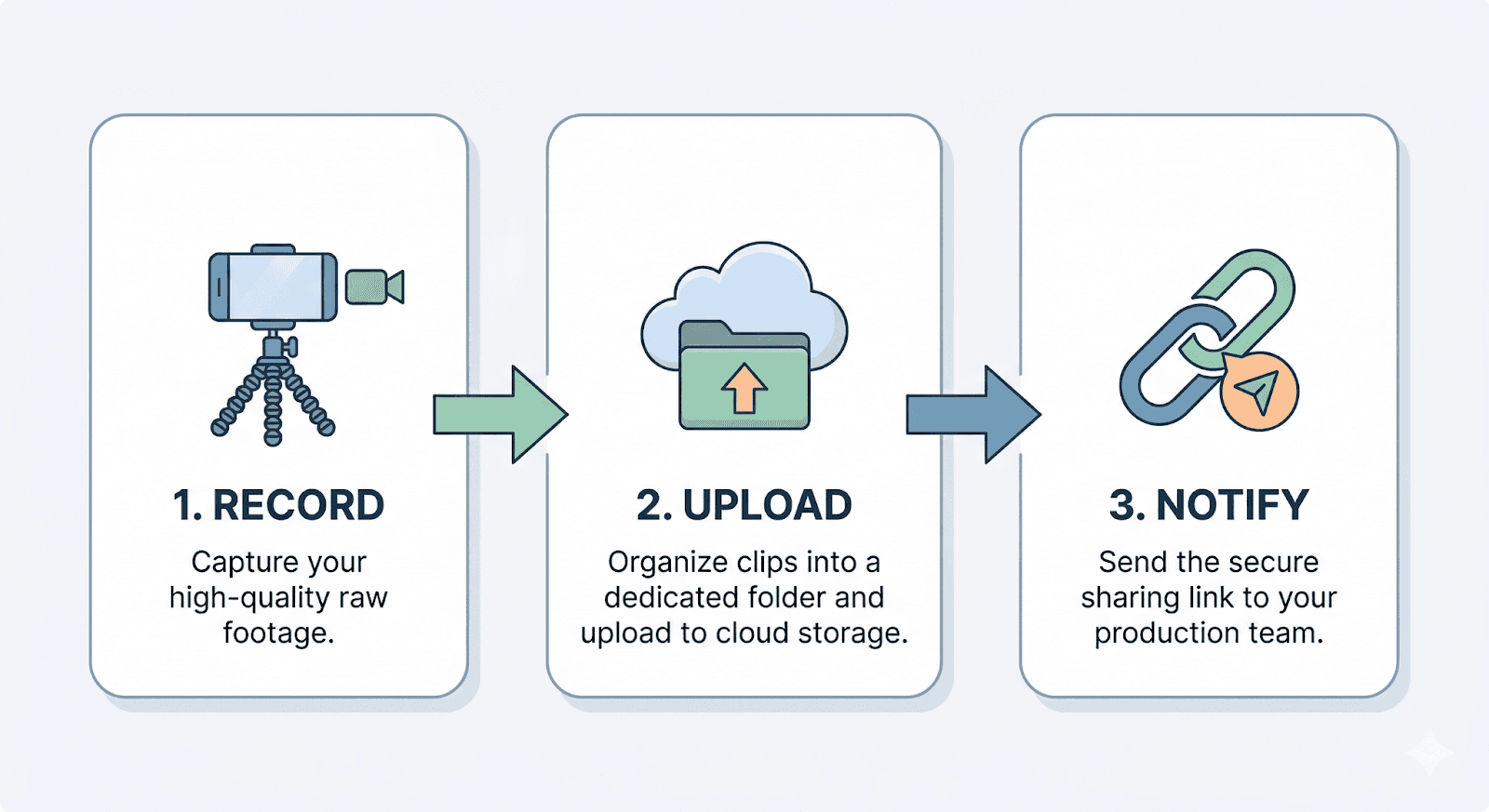
You need a professional way to move footage without losing quality. We use tools like Dropbox and Google Drive to solve this. These platforms handle the heavy lifting while you focus on recording.
Most people learn the hard way that "sending a link" isn't enough. You need a system to stay organized. If you just dump files in one folder, things get lost.
Here are the best ways to keep your raw footage ready for an editor:
Give every file a clear name like "Product_Review_Part1."
Group clips by project in their own folders.
Wait for the "Upload Complete" checkmark before closing your laptop.
We take these files and organize them into a secure project folder. You don't have to worry about storage limits on our end. We have the space for your biggest 4K files.
If you only film one 10-second clip a month, you can probably use a basic text link. For everyone else, this professional setup is the only way to stay sane.
Phase 2: Collaborative Review and Revisions
Emailing notes about a video is a slow way to work.
If you’ve ever typed out a long list of timecodes, you know the stress. You write “fix the text at 0:04,” but the editor still misses it.
We use a frame.io alternative for reels to stop this. You see the video on your screen. You click exactly where you want a change.
This puts your comment right on the video frame. It saves you from writing long emails. You won't need a thirty-minute Zoom call to explain one small fix.
You stay in control of the project. Your feedback is the most important part of the edit.
We also use "Version Control." You can look at Version 1 and Version 2 side-by-side. This makes it easy to see the progress.
Most of our revisions happen within 24 hours. We move fast so you can post on time.
Long emails for video edits are a waste of time. They lead to mistakes and late posts.
If you only need one video a year, a simple email might work. For daily creators, you need this speed.
Phase 3: Finalization, Aspect Ratio, and Export Settings
Your video can fail before anyone even sees it.
Bad export settings kill your reach. Social media algorithms hate blurry or small videos. If you use the wrong aspect ratio, you lose viewers instantly.
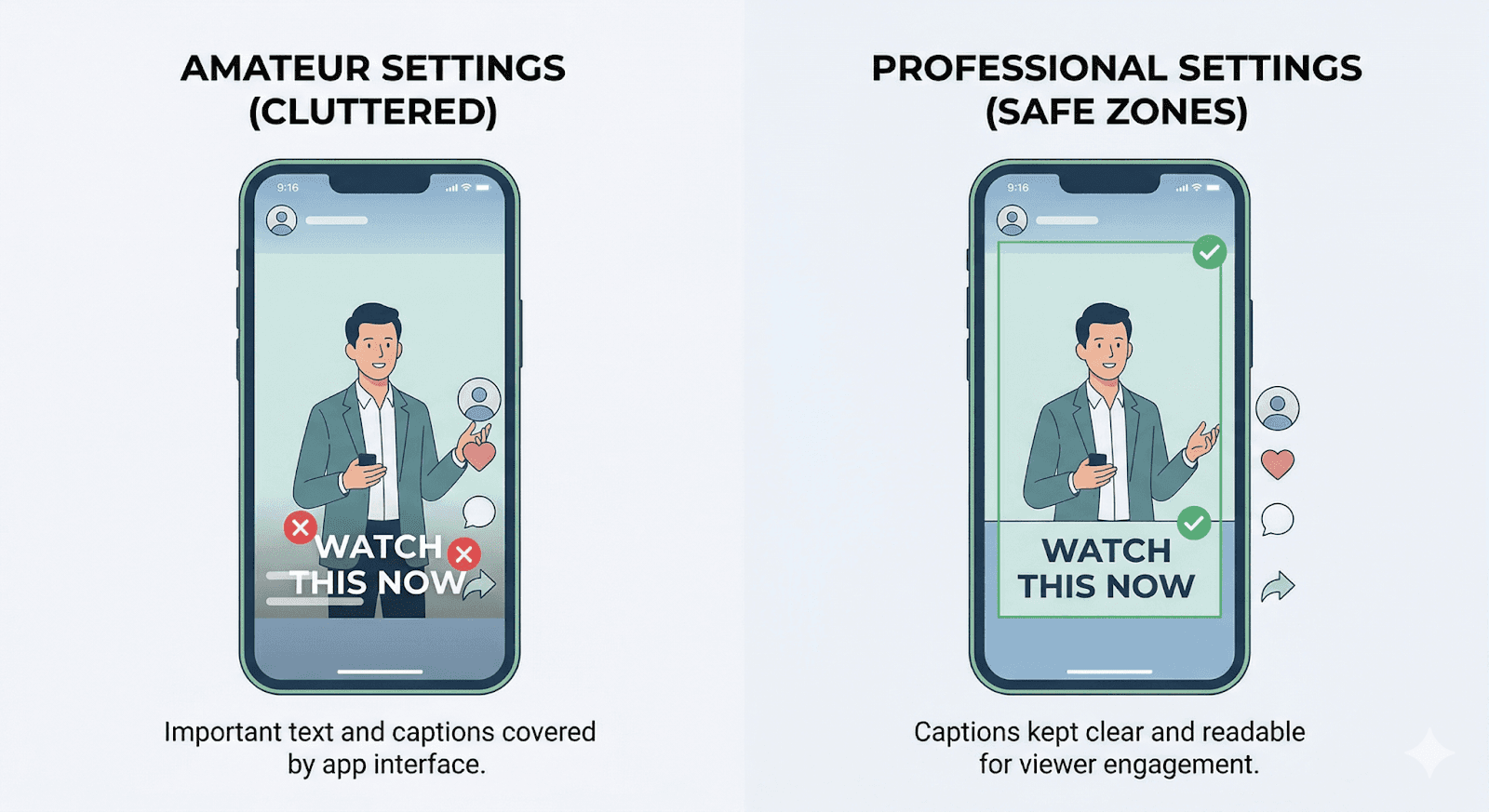
For reels, you must use a 9:16 size. I’ve seen great videos fail because text was under the "like" button. Most teams learn this only after a post flops.
We use pro safe zones to keep your captions clear. This keeps your text away from the app buttons and icons. Amateur settings make your brand look cheap.
Source: Animoto
Year: 2020
Finding: Vertical videos result in a 90% higher completion rate compared to horizontal ones on mobile devices.
Context: This shows why using the correct aspect ratio is vital for viewer engagement.
We set the right bitrate and resolution for every export. This makes your video look sharp on every device. This is the polish that separates pros from amateurs.
If you only share videos with family, don't sweat these details. But for a business, they are non-negotiable.
Your finished, viral-ready video will be waiting in your final folder. It is ready for the world to see it.
Getting Started with a Professional Reel Editing Workflow
Speed without a system is just a fast way to fail.
We see creators burn out because they try to manage every small edit themselves. DIY editing is a trap for busy founders. Most teams learn this after missing a big deadline.
This professional reel editing workflow gives you your time back. You get speed, clarity, and top quality in every post. It turns a messy process into a smooth one.
Imagine you record a video on your lunch break. You shouldn't spend your whole evening uploading or fixing clips.
Your only job is to hit records. We handle the technical heavy lifting for you. This allows you to stay creative while we stay technical.
If you have all day to edit your own videos, this won't matter to you. But if you want to grow, you need a partner.
Ready to scale your content? Explore our professional Instagram Reel Editing Service to get started. Let's turn your raw footage into viral hits.
FAQ
What is the best way to send large video files to an editor?
We recommend using professional cloud storage like Dropbox or Google Drive. These tools allow for fast uploads of your 4K footage. Most people fail by trying to use slow email links. If you only post once a month, simple links might work. For everyone else, cloud storage is a must.
How long does the feedback loop typically take?
Most revisions are done within 24 hours. Using time-stamped notes is much faster than back-and-forth emails. If you use email, fixes often take days. This does not scale. Our system keeps your content schedule on track and moving fast.
Do I need to know about aspect ratios or export settings?
Not at all. We handle all the 9:16 sizing and technical details. This ensures your video meets every platform rule for maximum reach. We make sure your text isn't covered by Instagram buttons. This is part of a professional reel editing workflow.
What if I have a lot of raw footage?
Our tools are built for bulk editing. We can manage fifty raw clips for one project without losing a file. Manual tracking breaks under pressure. If you only have one clip, you don't need a system. For busy creators, our project management is key.