
How to Outsource Your YouTube Editing Without Losing Your Creative Voice
Handing your raw video files to a stranger is terrifying.
You spend hours perfecting your cuts. You know exactly when a joke needs a pause. The thought of getting back a bland, boring video keeps you up at night.
If you have tried hiring an editor before, you know the stress of receiving a draft that sounds nothing like you. You might send off a fast-paced gaming video, but get back a slow, lifeless clip.
Figuring out how to outsource YouTube editing feels like giving up your identity. But editing your own videos is a trap. It destroys your upload schedule.
If you only post one short video a month, this will not matter. But if you want to grow a real channel, you cannot do everything yourself.
This guide will show you a simple, step-by-step system to fix this. You will learn to hand off the hard work while keeping total control of your style.
The Creator's Dilemma: Why Self Editing Kills Your Channel
Editing your own videos is the fastest way to kill your channel.
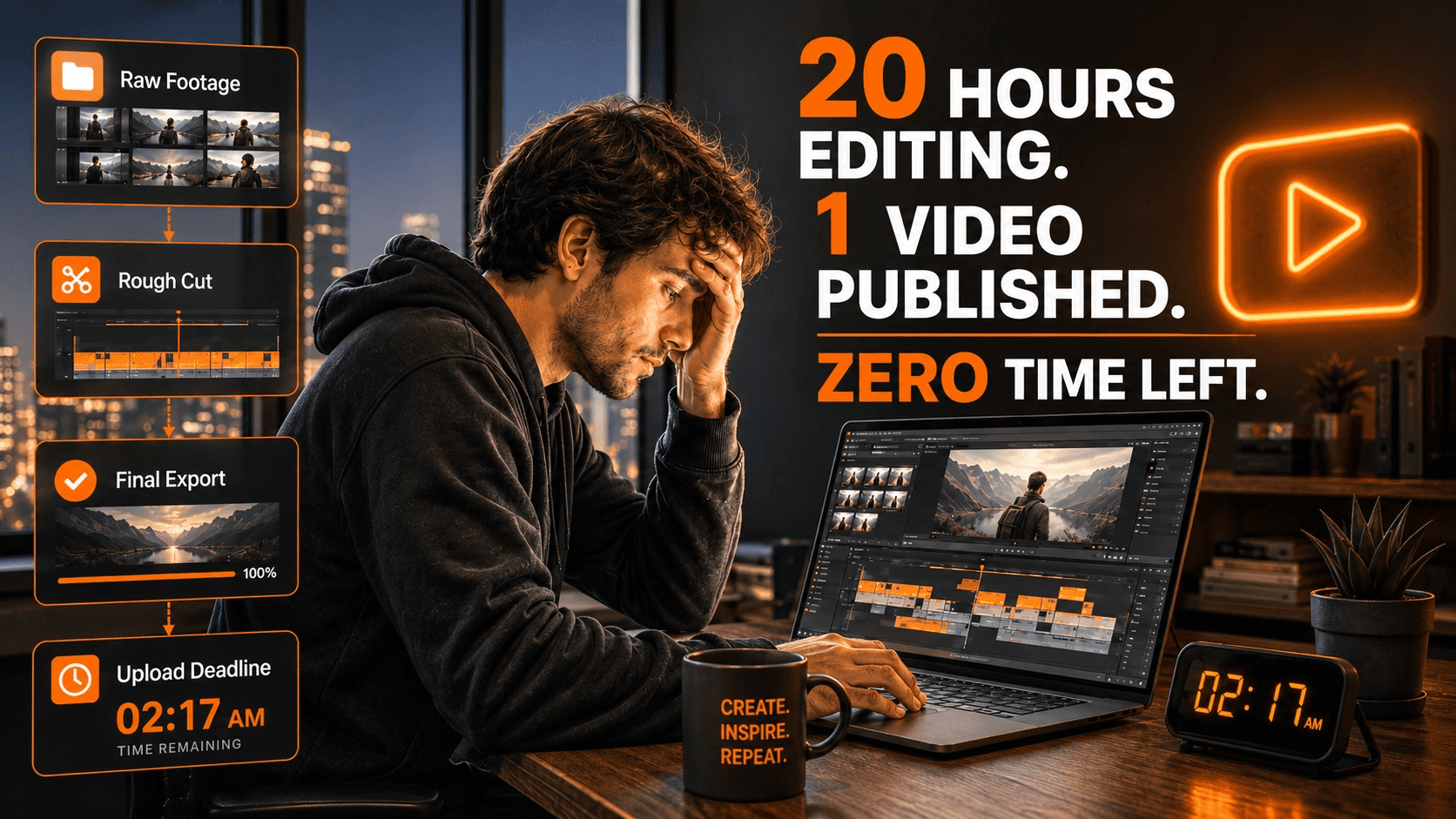
You fall into the creator trap. You spend 20 hours editing a simple 10-minute video. This leaves you no time to film new ideas.
Doing it all yourself does not scale. It limits your upload schedule and caps your revenue.
You want to grow, but you refuse to let go of creative control. You fear handing over your files and getting back a bland, corporate-looking video.
If you’ve dealt with this before, you know the stress of fixing a bad editor's mistakes.
If you only make home videos for fun, keep editing them yourself. But if you run a real channel, you must learn how to outsource YouTube editing safely.
Source: ConvertKit
Year: 2022
Finding: 61% of creators report experiencing severe burnout from managing their content workload.
Context: Holding onto the heavy burden of video editing is statistically proven to exhaust creators and ruin channels.
Think of outsourcing like teaching a chef your secret family recipe.
If you just hand them raw ingredients, the meal will taste wrong. But if you write down the exact heat, timing, and spices, they can cook it perfectly every time.
You do not want a cheap "button-pusher." A button-pusher just chops clips together.
You want a true creative partner. A partner asks why you chose a specific joke so they can perfectly match your pacing.
Step 1: Build Your Channel's "Brand Guidelines"
You cannot expect an editor to read your mind.
Most teams learn this the hard way. They hand over footage, give zero direction, and hate the final cut.
If your channel just posts raw, unedited podcast audio, skip this step. But if you edit heavily, you need clear rules.
You must build strict brand guidelines. This document pulls your unique style out of your brain and puts it on paper.
Without this document, you invite visual chaos. A written guide gives your new editor a clear roadmap to follow.
First, list your exact rules for pacing. Do not just tell them to "make it fun."
Tell them to cut out all dead air between words. Or, tell them to leave long pauses for dramatic effect.
Next, document your specific rules for B-roll and pop-up graphics. Show them exactly when to use stock footage versus text on screen.
Set clear standards for your audio mixing and color grading. If you want a moody, dark look, write it down so they do not guess.
Finally, give them examples. Link to three of your best past videos. Tell them, "This specific video captures my tone perfectly."
This protects your creative voice and stops bad edits before they happen.
Step 2: Set Up a Frictionless YouTube Post-Production Workflow
Bad logistics will ruin a good editor-creator relationship fast.
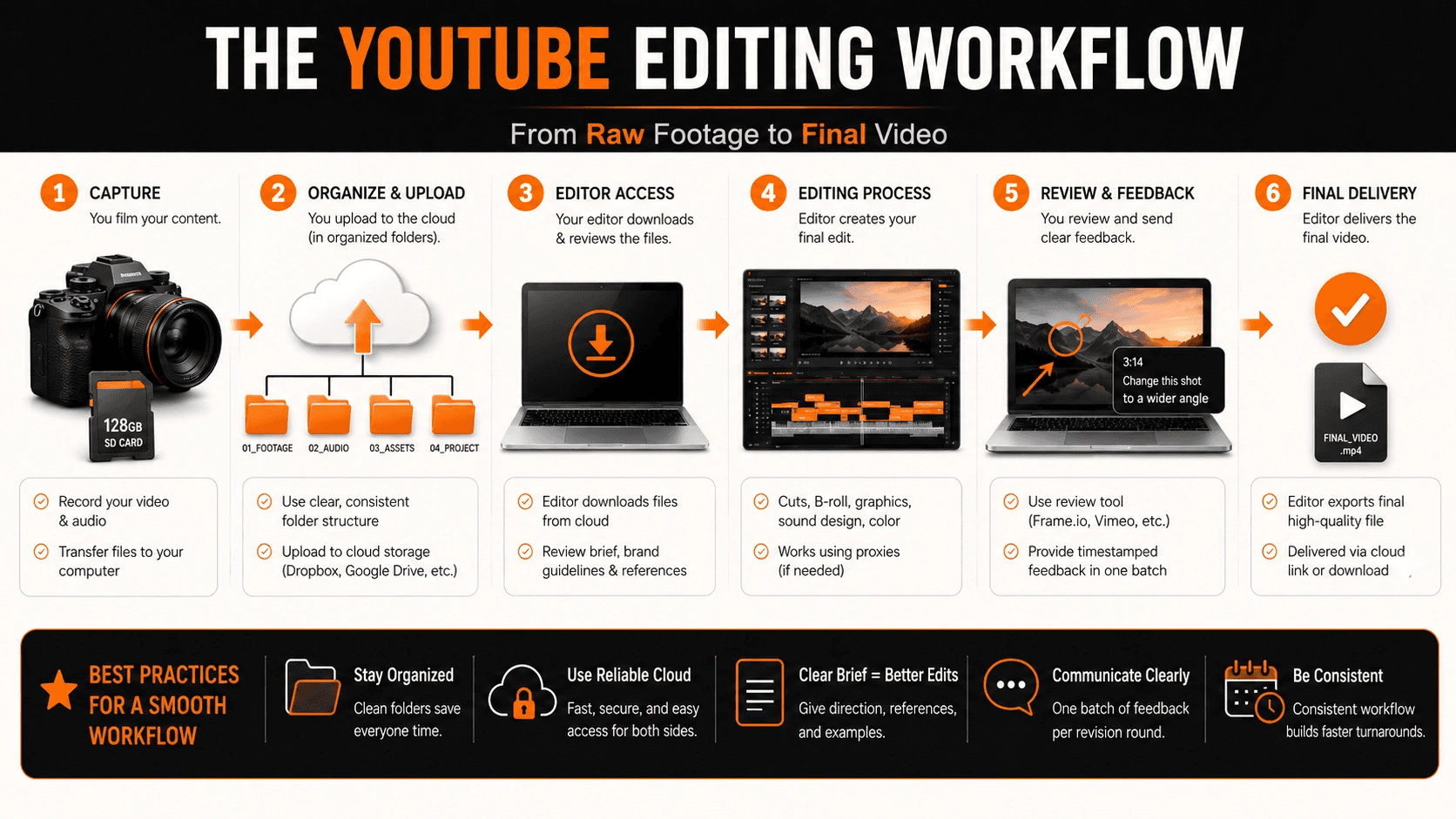
Sending huge files over slow internet causes endless frustration. You must set up a frictionless YouTube post-production workflow from day one.
If you have tried emailing 100GB of raw footage before, you know it always fails. Large files will freeze an editor's computer. This breaks under pressure.
Source: Dropbox
Year: 2021
Finding: Creative professionals waste up to 400 hours a year searching for poorly organized files and assets.
Context: Failing to organize your file transfers will cost you hundreds of hours in lost production time.
If you only shoot tiny iPhone clips, this won't matter. But if you shoot with heavy 4K cameras, file transfer is a massive hurdle.
Start by keeping files organized in strict, clean folders. For example, put all voiceover audio in one folder and all camera video in another.
Then, upload everything to a safe cloud drive like Dropbox.
To fix computer lag, learn about using proxies. Proxies are just tiny, low-quality copies of your big 4K files.
The editor works on the small proxy files so their computer does not crash. When they finish, the editing software simply syncs the cuts back to your original high-quality project files.
Step 3: Find and Vet the Right Editor
Here is where most creators fail.
They find an editor on Fiverr, like their portfolio, and immediately hire them. No trial. No vetting. No conversation about expectations. Three videos later, they are frustrated because video editor does not understand their style, and they are convinced outsourcing does not work. The problem was not outsourcing. It was skipping the vetting process.
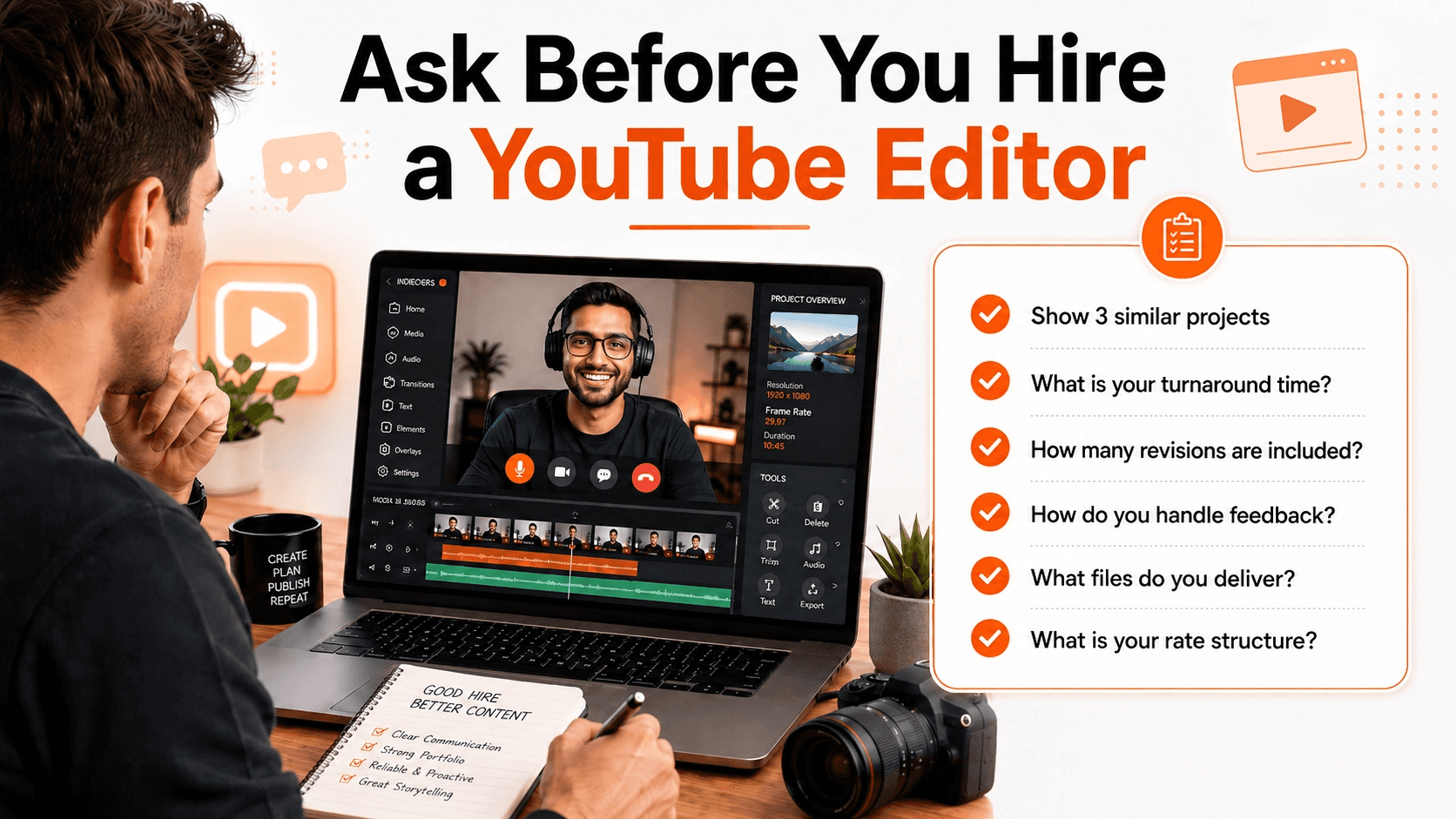
So before sending any raw files, have straight conversation and ask these exact questions:
Can you show me three recent projects similar to my content style?
What is your typical turnaround time and revision policy?
How do you handle communication and feedback?
What is your rate structure and what does it include?
What editing software do you use?
What file formats can you deliver?
How would you handle major revision? If the pacing felt completely off, how would you address it?
So never hire video editor based only on their portfolio. If they fully aligned with your needs then hire them otherwise find someone else immediately.
Step 4: Understand Pricing (This Matters More Than You Think)
Let's talk money. This is where creators get stuck.
You are thinking: ‘I do not have budget for an expensive editor right now. Should I DIY it?’ Wrong question. The question is: ‘What is my time worth vs an editor's time?’
What Different Editors Cost
Budget Tier | Rate | What's included |
|---|---|---|
Entry-level editor | $100 to $300 per video | Basic transitions, cuts, and simple color correction |
Mid-level editor | $300 to $700 per video | Motion text, b-roll, audio mix |
Premium editor | $700 to $1500+ per video | Strong hooks, cinematic grading, custom motion graphics, and retention editing |
Your Decision Framework
Here is honest calculation:
Your hourly value = Monthly income ÷ Hours worked per month
For example:
If you make $5000 per month from YouTube and work 40 hours per week:
$5,000 ÷ 160 hours = $31.25/hour
Editing takes 20 hours per month. Cost of self editing is 20 × $31.25 = $625 in opportunity cost.
So editor at $500 per month costs less than self editing. Plus your channel consistency improves, viewers stay longer, revenue grows. Most creators realize they have been leaving thousands on the table by editing their own videos.
Step 5: Establish Clear, Painless Feedback Loops
Sending revision notes by email is a nightmare.
Sending a long email that says "change the cut at 3:14" is a terrible way to work. It causes endless confusion.
If you never ask for edits, you can skip this step. But managing a freelance video editor requires proper review methods.
You need specialized video review tools like Frame.io. These apps let you pause and draw directly on the video frame.
For example, you can circle a bad pop-up graphic and type your fix right on the screen.
If you’ve dealt with this before, you know how fast messy emails ruin relationships. To fix this, create a tight feedback loop.
Set a strict rule for yourself. Combine all your notes into one single batch per revision round.
Do not send ten separate text messages with random thoughts. This breaks down communication.
Clear communication builds deep trust. It trains the editor to match your exact style on the very next video.
When Should You Outsource YouTube Editing?
You should outsource YouTube editing when editing starts taking more time than creating. If one video takes 8 to 20 hours to edit, you may be losing time that could be used for scripting, filming, audience research, brand outreach, and planning better content.
Outsource YouTube editing if:
You are missing your upload schedule
Editing takes more than 8 hours per video
You have recorded videos sitting unfinished
You want to repurpose videos into Shorts and Instagram Reels
You spend more time fixing cuts than planning content
Your channel has started growing and needs consistency
How We Systematize Your Style (So You Don't Have To)
Building all these systems by yourself is exhausting work.
If you already have a full production team, you can skip this part. But most solo creators learn this the hard way. Writing long brand guidelines and managing messy file transfers eats up days of your time.
This does not scale. You need a fast, done-for-you solution.
When we work with creators at Indiedoers, we build everything for you. We analyze your best videos to understand your pacing patterns. We document your exact creative voice. We find editors who specialize in your content type. We set up the professional review systems.
If you want to stop feeling burned out, it is time to let our YouTube editing team take over the heavy lifting.
Figuring out exactly how to outsource YouTube editing feels scary at first. But the right partner makes it safe and easy.
With our system, your creative voice is amplified, never replaced.
Frequently Asked Questions
Do I lose the rights to my footage if I send it to an editor?
You never lose your rights. A bad service steals your work. A true pro never will.
Always sign a simple contract before starting. This proves you own every raw file, like your gaming footage or heavy travel clips.
How long does it take for an editor to learn my style?
It usually takes two or three videos. If you hire a random beginner, this might take much longer.
But a skilled pro learns your pacing fast. Giving them a clear brand guide speeds up the whole process.
What if I hate the first draft they send me?
If you’ve never hired help before, you probably expect the worst.
Good teams build revision rounds into the workflow. You just leave clear notes on what feels wrong. They fix it in the second draft.
Do I need to teach the editor how to use the software?
Absolutely not. You hire them to know the software for you.
Your only job is to share your raw video and give clear creative direction. They handle all the confusing technical work.
Conclusion:
Outsourcing YouTube editing does not mean your videos stop feeling like yours. It only becomes problem when you hand over footage without direction, references, feedback, and clear process. Letting go is hard, but it is the only way to scale your channel. If you set clear rules and use the right tools, you will not lose your voice. Your editor should not replace your creative voice. They should help bring it out more clearly.
When the process is right, outsourcing gives you more time to focus on ideas, recording, storytelling, audience building, and growth. That is where creators usually create the most value. Stop doing everything yourself. Document your style, build a clean workflow, and start trusting a partner.